Crop JPG Images
Crop JPG and JPEG images quickly with custom dimensions and aspect ratios.
 ResizeMany
 Crop JPG and JPEG images online with custom areas, aspect ratios, and social media presets.
or, drag and drop images here
No signup limit.
Crop JPG and JPEG images quickly with custom dimensions and aspect ratios.
Crop JPG images in seconds using fast browser-based processing.
Your JPG images never leave your device.
Crop JPG images online in a few simple steps.
Crop JPG images online quickly and easily with ResizeMany. Whether you want to remove unwanted areas, improve photo composition, create profile pictures, prepare social media content, or optimize images for websites, our free JPG cropper provides a fast and simple solution. Upload your JPG image, select the crop area, and download the cropped result instantly without installing software or creating an account.
JPG is one of the most widely used image formats for digital photography, websites, blogs, online stores, and social media platforms. Because JPG files are commonly used for photos, cropping is often necessary to focus attention on important subjects, remove distractions, or create images that fit specific dimensions and layouts.
ResizeMany processes JPG images directly inside your browser instead of uploading them to external servers. This browser-based approach helps protect your privacy while providing a faster image editing experience. Your photos remain on your device throughout the entire cropping process.
Whether you are working with personal photographs, client projects, product images, or business content, your files stay private and under your control. There are no unnecessary uploads, no third-party access, and no waiting for remote servers to process your images.
Cropping is one of the simplest and most effective ways to improve the appearance of a photo. By removing unwanted background elements and focusing on the most important part of an image, you can create cleaner and more visually appealing results.
Many photographers, content creators, bloggers, and social media users crop JPG images to highlight subjects, improve framing, and create images that better match their intended purpose.
Different platforms often require different image dimensions. Cropping allows you to prepare JPG images for Instagram posts, Facebook content, YouTube thumbnails, LinkedIn graphics, blog articles, website banners, and online store listings.
Properly cropped images not only look more professional but also help maintain consistency across digital projects. ResizeMany makes it easy to create images that fit platform requirements without needing advanced editing software.
ResizeMany provides flexible cropping options that allow users to select custom crop areas or use common aspect ratios. Whether you need a square image, portrait photo, landscape banner, profile picture, or custom dimensions, the tool adapts to your requirements.
This flexibility makes the JPG cropper suitable for both casual users and professionals who need precise image adjustments for specific projects.
The cropping process is designed to be simple and user-friendly. Upload your JPG image, adjust the crop selection, preview the result, and download the cropped image within seconds. Everything happens directly in your browser, making the workflow fast and convenient.
The tool works on desktop computers, laptops, tablets, and smartphones, allowing users to crop JPG images from virtually any device with a modern web browser.
ResizeMany focuses on speed, privacy, and simplicity. The platform is completely free to use and requires no registration, subscriptions, or software installation. Browser-based processing keeps your images private while delivering fast and reliable results.
Whether you need to crop JPG photos for social media, websites, online stores, business projects, marketing materials, or personal use, ResizeMany provides a secure and efficient solution that works directly from your browser.
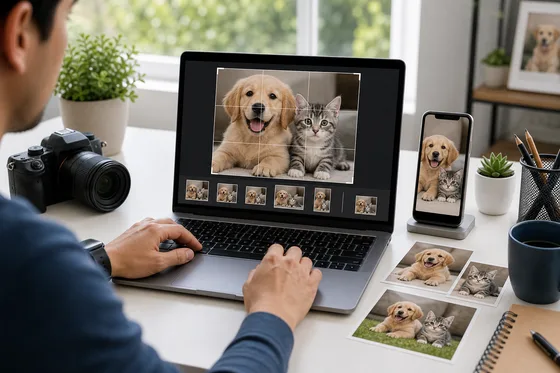
Adjust the crop box around the most important part of your JPG photo, then fine-tune the output with exact width and height values. This works well for portraits, pet photos, product shots, and clean website images.
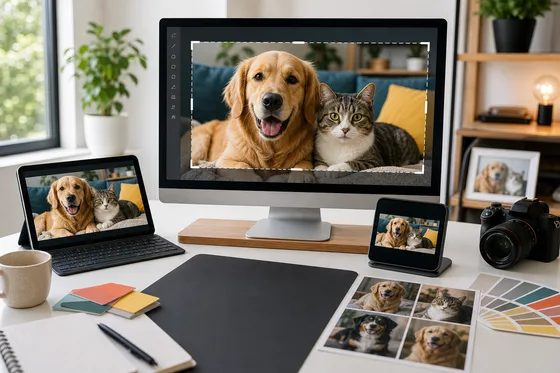
Use the YouTube thumbnail preset to crop JPG images into a wide 16:9 layout. The preview makes it easier to frame pets, people, products, and scenes before downloading a clean JPG thumbnail.
Upload a JPG or JPEG image, adjust the crop box, and export the cropped file.
Yes. Use the preset menu to choose common ratios or social media sizes.
No. JPG cropping is processed directly in your browser.
Cropping removes pixels outside the selected area. Very small crops or compression can reduce detail.
Yes. Use width, height, X position, and Y position to control the crop precisely.
No. JPG does not support transparent backgrounds. Use PNG or WebP when transparency matters.
Congratulations
Your resized image is ready to download.