Crop WebP Images
Crop WebP images to any dimensions while maintaining excellent visual quality.
 ResizeMany
 Crop WebP images online with FreeForm crop areas, aspect ratios, and social media presets.
or, drag and drop images here
No signup limit.
Crop WebP images to any dimensions while maintaining excellent visual quality.
Perfect for modern websites, blogs, and web applications.
All cropping is performed locally in your browser.
Crop WebP images online in a few simple steps.
Crop WebP images quickly and efficiently with ResizeMany. Whether you need to remove unnecessary areas, adjust image framing, create website graphics, or prepare content for social media, our WebP cropper provides a simple solution that works directly in your browser. Upload a WebP image, select the area you want to keep, and download the cropped result in just a few clicks.
WebP has become a popular image format because it combines excellent image quality with efficient file sizes. It is widely used on websites, blogs, online stores, and web applications where performance matters. Cropping WebP images helps ensure that visuals fit specific layouts while maintaining a clean and professional appearance.
Many websites use WebP images to improve loading speed and overall user experience. Cropping allows you to remove unwanted sections of an image and focus attention on the most important visual elements. This is particularly useful when preparing banners, featured images, promotional graphics, and website assets.
Properly cropped images often look cleaner and more professional while helping maintain consistency across different pages and sections of a website.
WebP is frequently used for blog images, product photos, category banners, and marketing content. Cropping makes it easier to highlight products, remove distractions, and create visuals that better fit the intended design.
Whether you are managing an online store, publishing articles, creating landing pages, or updating website content, cropping WebP images can help improve presentation and visual communication.
ResizeMany processes WebP images directly inside your browser instead of sending them to external servers. Your files remain on your device throughout the entire cropping process, providing greater privacy and security.
This browser-based workflow eliminates the need for uploads and reduces concerns about file sharing or third-party access. It is a convenient solution for personal projects, business assets, and professional content creation.
Social media content often requires images with specific framing and dimensions. Cropping allows users to create cleaner thumbnails, promotional visuals, profile graphics, and content that fits platform requirements more effectively.
By focusing attention on the most important part of an image, cropped visuals can appear more engaging and better suited for digital communication.
ResizeMany is designed to make image editing easy for everyone. Upload a WebP image, adjust the crop area, preview the result, and download the final image. The process is straightforward and works without complicated editing tools or technical knowledge.
The tool is compatible with desktop computers, laptops, tablets, and smartphones, allowing users to crop WebP images from virtually anywhere using a modern web browser.
ResizeMany combines privacy, speed, and ease of use in a single browser-based tool. Users can crop WebP images quickly while maintaining complete control over their files. There are no registrations, subscriptions, or software installations required.
Whether you are preparing website graphics, optimizing blog images, creating marketing materials, managing product photos, or improving visual content for online projects, ResizeMany provides a reliable and efficient way to crop WebP images online.

Use the FreeForm crop area to frame the exact part of a WebP car photo you want to keep. Drag the corners, adjust the crop rectangle, and prepare clean web-ready images without sending files to a server.
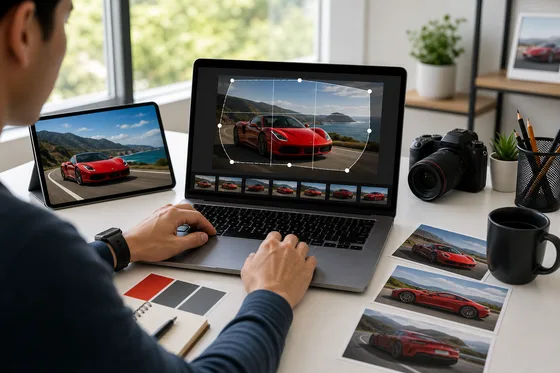
Frame car photos for headers, product galleries, thumbnails, and responsive website layouts with a flexible crop box. The preview helps keep the subject centered before downloading the cropped WebP file.
Upload a WebP image, select the area you want to keep, and export the cropped result.
Yes. WebP is useful for website images because it can reduce file size while keeping good quality.
Yes. WebP can keep transparency when exported as WebP.
No. WebP cropping is performed locally in your browser.
Yes. The crop tool includes social media, web, paper, and aspect ratio presets.
Yes. Choose the output format that best matches where you plan to use the image.
Congratulations
Your resized image is ready to download.