Crop PNG Images
Crop PNG images to any size while maintaining sharp details and image quality.
 ResizeMany
 Crop PNG images online with custom crop areas, transparent previews, and Instagram presets.
or, drag and drop images here
No signup limit.
Crop PNG images to any size while maintaining sharp details and image quality.
Keep transparent backgrounds intact while cropping PNG images.
All PNG processing happens locally in your browser. No uploads required.
Crop a PNG image online in a few simple steps.
Crop PNG images quickly and accurately with ResizeMany. Whether you need to remove empty space around a graphic, adjust the framing of an image, prepare transparent assets for a website, or create perfectly sized visuals for social media, our PNG cropper makes the process simple. Upload your PNG file, select the area you want to keep, and download the cropped image in seconds.
PNG is widely used for graphics, logos, icons, illustrations, user interface elements, and images that require transparent backgrounds. Because of these unique characteristics, cropping PNG files often requires greater precision than ordinary photo editing. ResizeMany provides a clean and efficient way to crop PNG images while preserving their visual integrity.
One of the biggest advantages of the PNG format is support for transparency. Designers and website owners frequently use PNG images because they blend seamlessly with different backgrounds and layouts. Cropping helps remove unnecessary transparent areas and creates cleaner graphics that fit perfectly into websites, applications, presentations, and marketing materials.
Whether you are working with logos, product overlays, icons, stickers, illustrations, or interface components, accurate cropping can improve appearance and make assets easier to use across different projects.
PNG files are commonly used in branding and digital design because they maintain sharp edges and support transparent backgrounds. Cropping allows users to focus on the important visual elements while removing extra space that may affect layout consistency.
Businesses, designers, developers, and content creators often crop PNG graphics before adding them to websites, advertisements, presentations, online stores, and promotional campaigns. Properly cropped graphics help create cleaner and more professional visual experiences.
ResizeMany performs image processing directly within your browser. Your PNG files remain on your device throughout the entire cropping process, giving you complete control over your content. There is no need to upload files to remote servers or rely on third-party image processing services.
This approach is particularly useful for business assets, client materials, brand resources, and personal projects where privacy and file security are important considerations.
Many social media platforms require images to fit specific layouts and visual formats. Cropping PNG images can help create profile graphics, promotional visuals, thumbnails, post designs, and branding elements that look professional across different platforms.
Removing unwanted areas and focusing attention on the most important design elements helps improve visual impact while maintaining a clean and organized appearance.
ResizeMany is designed to make image editing accessible to everyone. Simply upload a PNG file, select the crop area, adjust the framing, and download the final image. The interface is straightforward and suitable for both beginners and experienced users.
The tool works across desktop computers, laptops, tablets, and smartphones, allowing users to crop PNG images from almost any modern device without installing additional software.
ResizeMany combines simplicity, privacy, and performance in a single browser-based tool. Users can crop PNG graphics quickly while keeping files secure and maintaining complete control over their content. The platform is free to use and requires no registration or complicated setup.
Whether you are editing transparent graphics, preparing design assets, creating marketing materials, updating website elements, or organizing visual content, ResizeMany provides an efficient way to crop PNG images with precision and ease.
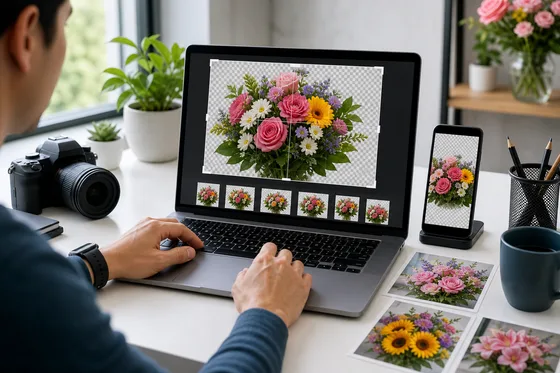
Frame the exact flower detail you want while keeping PNG transparency visible in the preview. Use precise crop dimensions for transparent graphics, product visuals, stickers, and design assets.
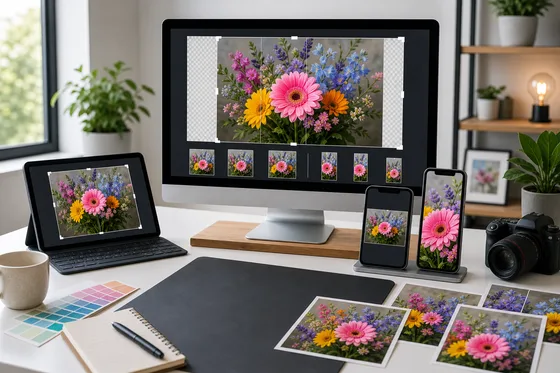
Choose Instagram-ready square or portrait crop presets when preparing flower PNG graphics for posts, stories, and profile visuals. The crop preview helps you keep the important subject centered before download.
Upload a PNG file, adjust the crop rectangle, and export the cropped PNG.
Yes. PNG transparency is kept when the cropped output is saved as PNG.
Yes. PNG is well suited for screenshots, UI images, graphics, and transparent artwork.
No. PNG cropping runs locally in your browser.
Yes. Enter the crop width and height manually or choose a preset from the menu.
Yes. If you choose WebP output, the cropped image can be saved in a web-friendly format.
Congratulations
Your resized image is ready to download.